
Building My Second Brain: Obsidian, Claude Code, and GranolaAI
Creating my own personal AI-fueled wiki as the ultimate research partner.
I'm both a CMO and a doctoral student, which means that a good portion of my time is spent consuming vast amount of often complex information and trying to make sense of it all. From academic research to market briefs, focus groups and IDIs to customer conversations and product details, it's ridiculously easy to get overwhelmed just by the inflow.
My solve to this over the years has been a mix of note-taking apps, and I've tried every setup of OneNote, EverNote and Notion I could think of, usually mixed in with a stack of well-worn Moleskine notebooks (though to be clear, I'll never quite let those go).
The issue is that pretty much everything I tried would turn into a graveyard of valuable information gathered one day that would quickly get swamped by the next days notes. No amount of search or tagging features helped get past the terrifying feeling that I was simply missing important connections and patterns buried in all those well-intentioned notes that I never had time to properly go back through.
That all changed a short while ago. Every now and then you stumble on a solution that feels like a mix of lightbulbs and fireworks going off; this was one of those moments for me. I stumbled on about Andrej Karpathy's LLM Wiki concept, which blends Obsidian with Claude Code (or your favorite LLM) to create your own emergent personal wiki, and figured I would dive in head-first to see if I could make it work.
The resulting system has materially changed how I work both as a leader and aspiring researcher.
The problem with most second brain setups
The original second brain idea, popularized by Tiago Forte and others, is basically that you should capture your knowledge in a system you can query later. Capture everything, organize it, retrieve it when needed.
The theory sounds simple enough. In practice this always broke down for me right in the middle "organize" stage. Ever since digital notetaking apps became available, you could basically capture anything you wanted. Retrieval in turn is easy - in theory - assuming you know what you're looking for. The organizing stage however, was a different beast entirely: tagging, cross-linking, summarizing, distilling, connecting, dropping files and notes into some overly-complex folder heirarchy. That takes deep, consistent effort and a well-structured plan to make it work over time. It invariably grew into a chaotic, unusable, and ultimately abandoned mess for me.
What's different about this solution is that I can hand off about 90% of the organizing layer, and - in one of the most compelling use cases for AI I've personally experienced - tap into an LLM to discover hidden patterns and connections and help me make sense of it all.
My setup: Three tools for three jobs
My "second brain" has three pieces, with each one having a clear and simple role in the workflow, built on the basic idea Karpathy put out.
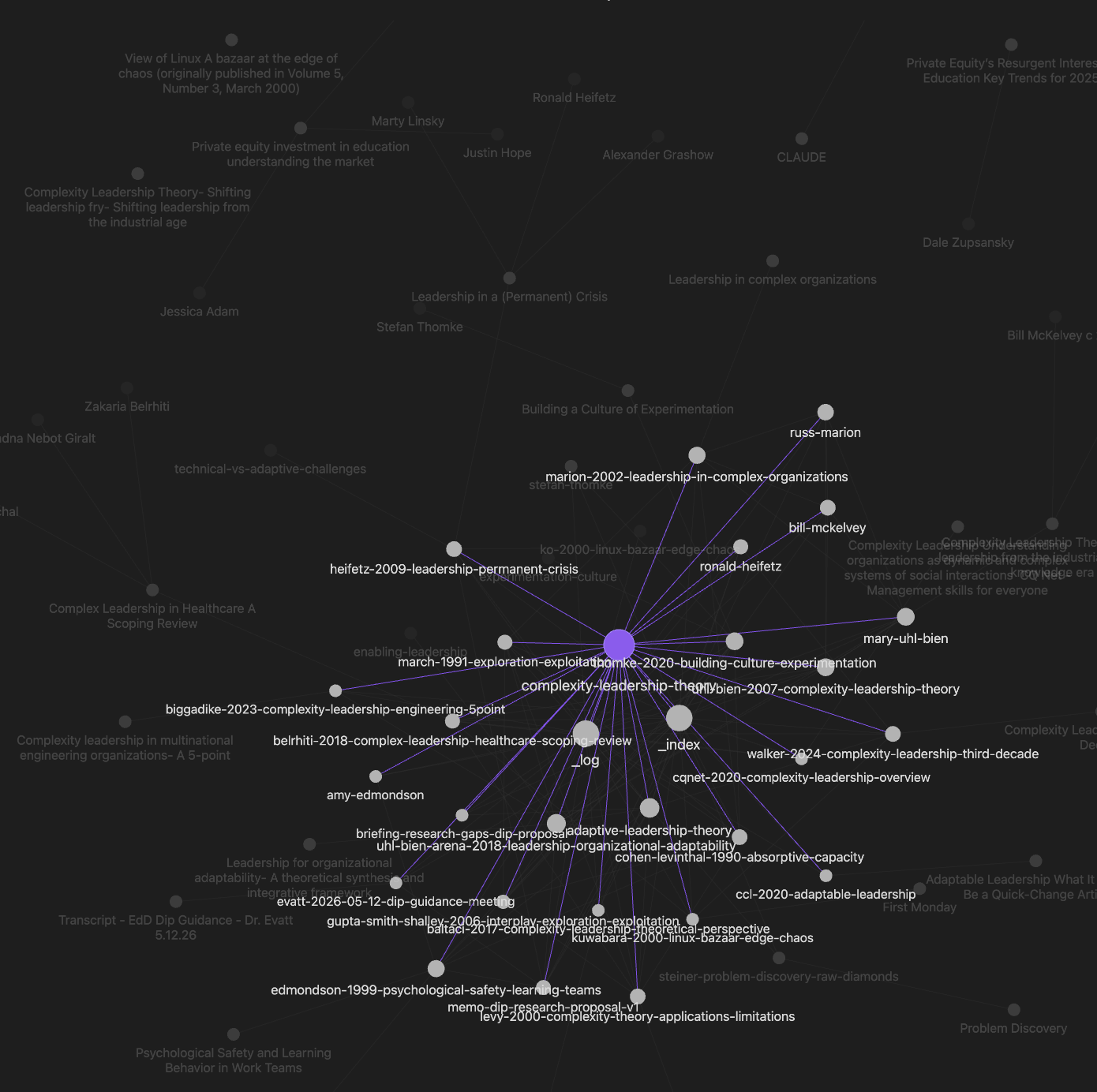
Obsidian is the foundation. This is where I store, browse, search, and navigate notes, transcripts, research documents, and presentations. It also works well as a standard notetaking tool where I add my own brainstorms, thoughts, or ideas. Out of the box Obsidian also offers a fascinating graph view (example below), which lets me see how topics, themes, and even authors connect across what would otherwise be a random pile of isolated documents and pages. Obsidian is also where your wiki lives, which, as I get to in a moment, is ultimately the heart of the system.
Granola AI captures meetings and calls. It records, transcribes, and produces a clean text export of every virtual meeting I attend. I also use it to take my own realtime notes during the meeting, which Granola's AI engine enhances and deepens. The transcripts then export to a folder in Obsidian called /inbox/transcripts/, the notes to /inbox/notes. Together they create a complete record of the meeting or call, which becomes powerful data for the "second brain."
A nice trick: if your laptop mic is decent enough, you can also use Granola during in-person meetings as well. Just hit "capture a quick note" and you're off.
Claude Code is the "magic". This is the organizational layer that always used to fail me, and it's the research assistant I never knew I was missing. Claude Code "ingests" everything you put in the /inbox folder, processes it, and then writes a structured wiki in a parallel folder called (tada) /wiki. When I tell Claude to ingest, it pulls any new material it finds in the /inbox: transcripts, meeting notes, brainstorms, research PDFs, PPTX presentations, web clippings, anything you drop into Obsidian really. It reviews the entire Obsidian datastore (your "Vault") and then automatically creates new wiki pages ("digests"), updates and adds depth to existing one, discovers cross-connections and links, and surfaces new patterns I may have otherwise missed. I don't have to organize anything at all - just dump everything into the inbox/ folder, say "ingest", and I'm off and running.
When I then tell Claude Code to "brief me on competitive positioning ," it reads the relevant wiki pages, reviews my sources, and produces a report, which I can then add back to the wiki or continue to iterate with Claude. The wiki keeps growing, the connections keep expanding, and the analysis keeps getting better and deeper over time.
My basic workflow
It starts with capturing information. I attend meetings, take notes, and Granola captures them and pushes them over to Obsidian*. I read articles on the Web and clip them to /inbox using the Obsidian Chrome extension. If I'm doing research, where I use Zotero religiously, I use the Obsidian-Zotero plugin. I often type my own rough notes directly into Obsidian when I think of something, or drop reports or papers I find into /inbox/research. All of it lands in various parts of /inbox as unstructured raw material.
I prefer to set up sub-folders by type (research, transcripts, notes, documents, etc.) just to keep things tidy, but if you want you can also just dump it all as a huge pile to /inbox and let Claude sort it out.
Then tell Claude Code to "ingest." Just point Claude Code to your Obsidian Vault (like /documents/vaults/yourname), tell it to "ingest the latest" and go. It reads the inbox, processes any new sources, scans the existing wiki for context, and then updates the wiki as needed. New pages get created, connections get linked, themes get identified, all without having to even think about a tag or hyperlink.
The secret is the CLAUDE.md file in the LLM Wiki project, which you just add to your Vault and customize how you like. For example I added instructions to mine to only process one PDF at a time (in case I drop in a bunch at once) and check with me after each one - this keeps Claude from running out of context.
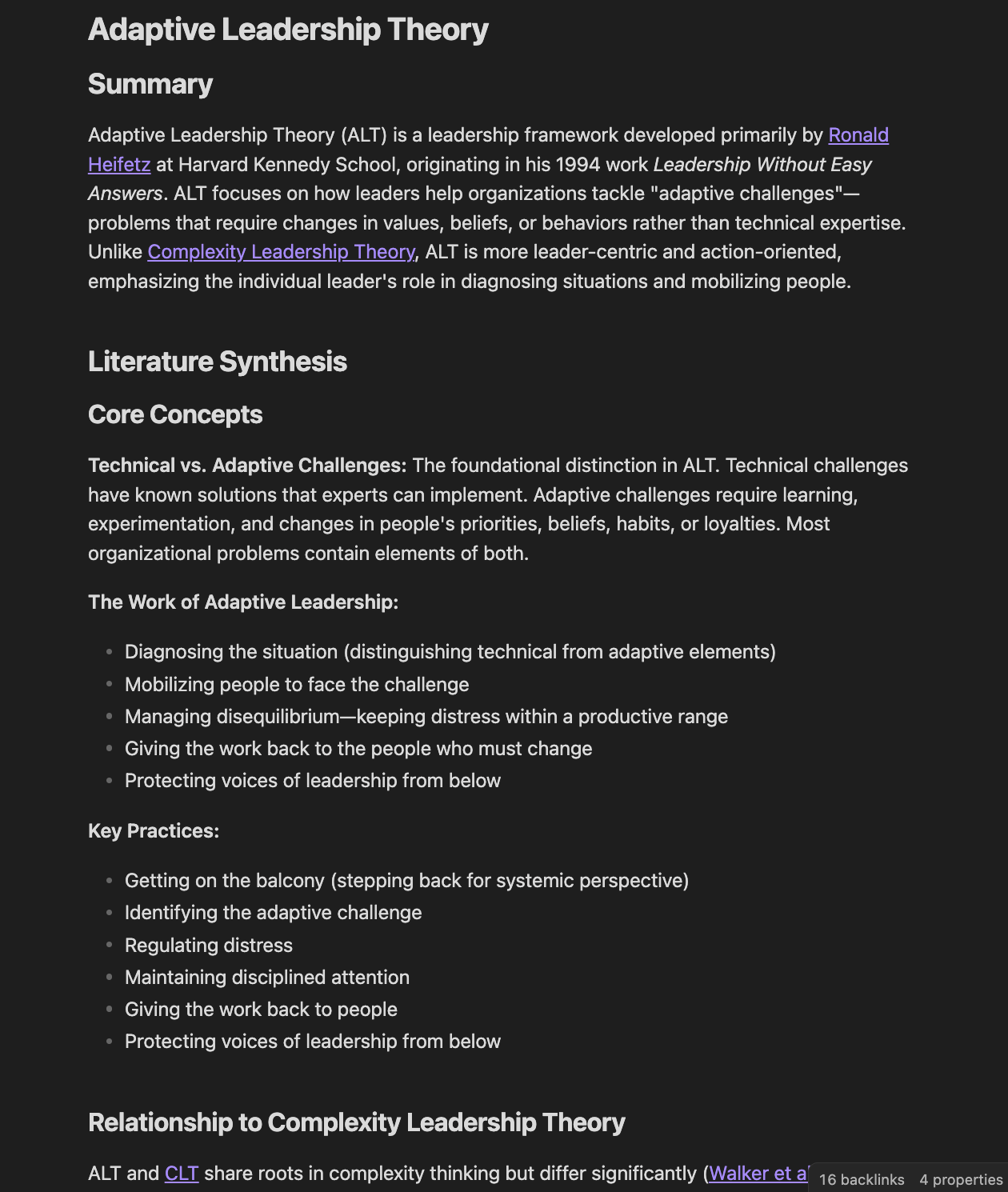
Finally, use Obsidian to read, or Claude Code to query. Obsidian has a clean interface, so it's easy to click on any entry in the wiki, or start with the index page (first one on the list), read the summaries and explore. Add or edit your own thoughts directly into the wiki, or correct where the AI went astray. Below is an example snapshot of one just wiki entry (of dozens, so far) from my dissertation research; this one entry goes on for about 5 more pages and includes 16 links to other sources, digests, and wiki pages in Obsidian.
Or think of it for a business use case: this wiki page could be about one product, campaign, or competitor, compiled from context derived from dozens of call notes and transcripts, market reports, pitch decks, and presentations.
Or load up Claude Code and just start asking questions.
The briefs are the payoff
Which gets to the coolest part, the "brief."
A brief is topical synthesis from your data, drawn from across the entire wiki and all sources, that Claude Code generates when asked. Each brief you can consume, iterate on with Claude, and then discard or have Claude add it to the wiki as a permanent page for later reference.
- "What do I know about our competitive positioning across the last six months of customer call transcripts?"
- "What patterns are showing up in my dissertation reading about enabling leadership and how it relates to my problem of practice?"
- "Summarize what the leadership team has been worried about across the last quarter of 1:1's."
The end result is like having your own personal Wikipedia, on whatever subject you want to go deep on, with only the sources you specify, which you can engage in an ongoing conversation with.
And it's a pretty resilient solution too, as each tool operates independently and can be replaced if needed. You can swap out Granola for another transcription tool, or Claude Code for another AI, or even Obsidian for a different notes platform - after all it's ultimately just a pile of markdown files that you can move or export anywhere.
This "second brain" is admittedly a bit of a handful to set up, especially if you're new to using AI tools like this. But once you get it in place, add some sources to your inbox, and generate the initial wiki, you start to see your knowledge base unfold. Add more depth to your sources, create some briefs, and start asking questions, and the real power of having a "second brain" starts to truly unfold.